
Magnifier & Microscope+ [Cozy]
HANTORMLifestyle
4.8682.00 Reviews
- Version
- 7.0.1
- Installs
- 100.00K
- Age Rating
- Everyone
Screenshots
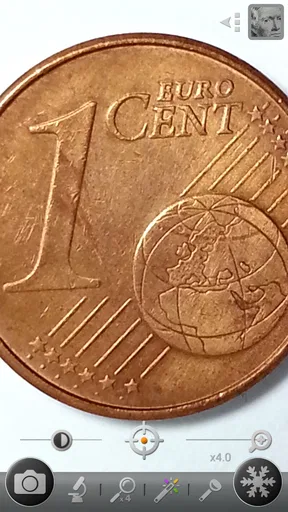

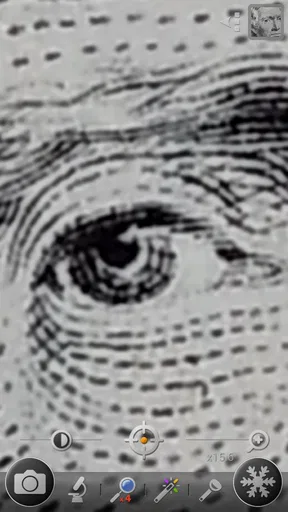
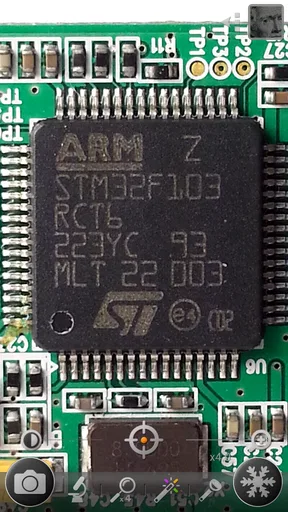
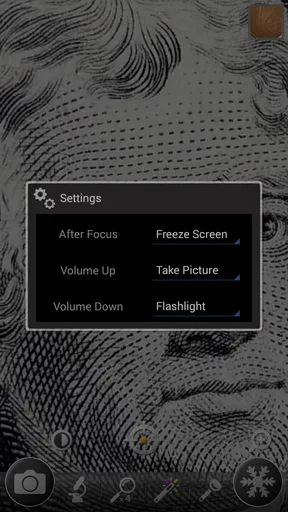
Our Review of Magnifier & Microscope+ [Cozy]
 Analysis by Appyee
When a label is hard to read or a tiny part needs a closer look, I want a quick way to bring the detail into view without searching for a separate tool. That is the everyday problem Magnifier & Microscope+ [Cozy] is built around: it turns a phone camera into a handheld viewing aid. I find that idea most useful when the object is right in front of me and I need a fast look, rather than a laboratory-grade examination or a polished close-up photograph.
Start with the object, not the zoom
My best results begin with a simple setup: choose a steady place to hold the phone, put the item under decent light, and frame it before zooming in. At high magnification, small hand movements can make the image jump, so starting close to the subject and moving gradually is more comfortable than immediately pushing the view to its limit. This is especially helpful with tiny print on packaging, where a little patience can make the words easier to follow.
That approach also makes the app more practical for quick inspections. If I am checking a loose thread, a mark on a leaf, or the edge of a small object, I first look at the broader area and then narrow in on the feature that matters. It is a useful habit because magnification can show detail while also making it harder to understand where that detail sits on the whole object.
From live view to something I can share
The core workflow is straightforward: open the viewfinder, adjust the zoom, bring in extra light when the scene is dim, and take a snapshot if I want to keep what I saw. A saved image is handy when I need to compare a detail later or show it to someone who is not beside me. For example, I could photograph a small component before asking a repair-minded friend whether it looks damaged, instead of trying to describe it from memory.
There is a trade-off in that handoff. The live image is useful for inspecting an object in the moment, but a snapshot is still a phone photo of a magnified view; it should not be treated as a guaranteed record of exact size, texture, or condition. I would use it to communicate what caught my eye, then confirm anything important in person or with a suitable specialist tool.
Where a phone magnifier fits
Compared with a physical magnifying glass, the app has the convenience of being already on the phone and can keep an image for later. Compared with a phone’s ordinary camera view, it is designed around close inspection and offers direct zoom controls, with a flashlight available for darker spots. But a simple optical loupe can be steadier and more dependable for repeated precision work, while a camera’s regular mode may be a better choice when I care more about a natural-looking photo than a magnified view.
I would not use a phone magnifier to identify a medical concern, certify a repair, or judge a tiny flaw where accuracy has consequences. Camera focus, lighting, hand movement, and the object’s surface all affect what appears on screen. Treating the app as a convenient first look—not as a measuring instrument or professional microscope—is the sensible boundary.
As a Lifestyle app from HANTORM, it has a focused purpose rather than a long setup process. It costs $4.49, is rated for Everyone, and has an average rating of 4.8 from around five thousand ratings, with more than one hundred thousand installs. Version 7.0.1 supports devices running Android 6.0 or later. Those details make it a paid, established option for people who expect to use magnification now and then; someone who only needs it once may prefer to try a physical magnifier they already own first.
Who will get the most from it
I can see it fitting naturally into a routine for someone who often reads small packaging, checks craft materials, or wants to look more closely at plants and everyday objects. It can also be useful to people who find tiny print uncomfortable to read, although it is best viewed as a practical aid rather than a replacement for prescribed vision support. If the phone is awkward to hold steady, or if a user needs consistently precise inspection, a stand, loupe, or dedicated optical device may be a better fit.
One small workflow tip is to decide before taking a snapshot what the image needs to do. If it is just for your own reference, a quick capture may be enough. If you plan to send it to someone, include enough of the surrounding object to show context as well as the magnified detail; a very tight crop can make a scratch, insect, or component difficult to identify. A second, wider view can make that handoff clearer.
What is Magnifier & Microscope+ [Cozy]?
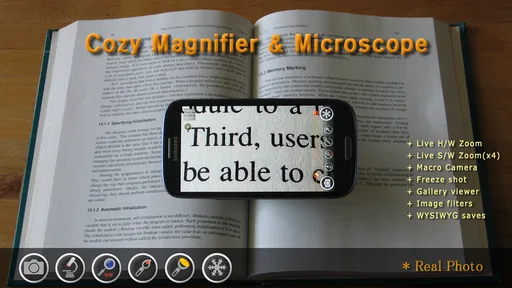
This app is essentially like carrying around a digital magnifying glass and microscope in your pocket. Sounds futuristic, right? With our smartphones already doing so much, it makes sense to add another cool feature to the list. Magnifier & Microscope+ [Cozy] uses your phone’s camera to enlarge small objects or text, making it super handy for reading tiny print or examining small details.
Features Worth Talking About
First off, the app is incredibly user-friendly. When you open it up, you’re greeted with a simple interface that even someone who's not tech-savvy can navigate. The main screen offers a clear viewfinder and some straightforward controls for zooming in and out. It’s like having a personal assistant that helps you see better!
One of the coolest features is the ability to take snapshots of whatever you’re magnifying. This means if you're out in nature and spot an interesting insect or leaf, you can capture it up close and personal. The images are surprisingly clear and detailed, thanks to the app’s optimization.
Another feature that caught my eye is the built-in flashlight. This is a game-changer for those moments when you’re trying to read a menu in a dimly lit restaurant or examining something in a dark corner. The flashlight is adjustable, so you get just the right amount of light without blinding yourself. Talk about thoughtful design!
Practical Uses and Daily Applications
Now, you might be wondering, "How often will I actually use this app?" More often than you’d think! From reading the fine print on contracts, checking out the ingredients on food packaging, or even doing some impromptu detective work on a mysterious bug bite, there are endless scenarios where this app comes in handy.
For those of us who wear glasses, it's a true lifesaver. Imagine not having to squint or strain your eyes just to see something clearly. The app provides a much-needed break for our eyes. Plus, it’s great for hobbyists who deal with small components, like model builders or jewelry makers.
My Experience with the App
After using it for a week, I can honestly say it’s become one of my go-to tools. Setting it up was a breeze, and I appreciated the lack of ads cluttering the interface. The zoom function is smooth, and there’s a noticeable difference in clarity compared to just using my phone’s regular camera zoom.
I particularly enjoyed using it during a recent hike. I was able to zoom in on some fascinating rock formations and even captured some high-quality images to show off to my friends later. It’s like having a digital scrapbook of all the little things you usually miss with the naked eye.
Wrapping It Up
If you’re someone who loves gadgets, or even if you're just someone who appreciates a practical tool, Magnifier & Microscope+ [Cozy] is worth checking out. It's a nifty little app that enhances your smartphone’s capabilities in a way you didn't know you needed. Whether you're using it for fun or for function, it's an app that can genuinely make life a little easier.
So, if you’re tired of missing out on the small details or straining your eyes, give this app a try. You might just find it becomes a permanent fixture on your home screen. Happy magnifying!
Verdict
Strengths of Magnifier & Microscope+ [Cozy]
- Easy to use interface for all users.
- High-quality magnification capabilities.
- Integrated flashlight for low-light use.
- Zoom lock feature for steady viewing.
- Supports image saving and sharing.
Limitations of Magnifier & Microscope+ [Cozy]
- Requires device with good camera quality.
- Ads can be intrusive during use.
- Limited features in free version.
- Battery drain due to high camera use.
- No offline mode available.
Similar Picks in This Category
View All
SmartThings
Samsung Electronics Co., Ltd.4.6

Google Home
Google LLC4.0

Pinterest4.2

Astrotalk - Talk to Astrologer
Astrology & Horoscope4.7

My Verizon
Verizon Consumer Group4.5

Samsung Wallet (Samsung Pay)
Samsung Electronics Co., Ltd.4.1
Frequently Asked Questions
What are the main features of Magnifier & Microscope+ [Cozy]?
Magnifier & Microscope+ [Cozy] offers a powerful magnifying tool that enhances your device's camera capabilities. It includes features such as adjustable zoom levels, flashlight support for low-light conditions, and a freeze-frame option to capture detailed images. The app is designed for ease of use with a clean, intuitive interface.
Is Magnifier & Microscope+ [Cozy] compatible with all devices?
Magnifier & Microscope+ [Cozy] is compatible with most modern Android and iOS devices. However, performance may vary depending on your device's hardware specifications, such as camera quality and processing power. It’s recommended to check the app’s requirements on the app store before downloading.
Does the app require an internet connection to function?
No, Magnifier & Microscope+ [Cozy] does not require an active internet connection to function. Once downloaded, the app utilizes your device’s camera and built-in features. However, an internet connection might be needed for updates or accessing additional online resources.
Are there any in-app purchases or ads in Magnifier & Microscope+ [Cozy]?
Magnifier & Microscope+ [Cozy] may include in-app purchases to unlock additional features or remove ads. The basic version is free to use, but for an uninterrupted experience, users might consider upgrading. The presence of ads and premium options is typically disclosed in the app description on the store page.
How user-friendly is Magnifier & Microscope+ [Cozy] for beginners?
The app is designed with user-friendliness in mind, featuring a simple and intuitive interface. Clear instructions and easy-to-navigate menus make it accessible for beginners. Users can quickly learn to adjust magnification levels and utilize the flashlight, making it suitable for all skill levels.
